

Top 10 AI Tools for Productivity in 2026: What Actually Works (From Someone Who Tried Everything)
I tried every AI productivity tool out there so you do not have to. Here are the 10 that genuinely changed how I work, with honest pros and real downsides.
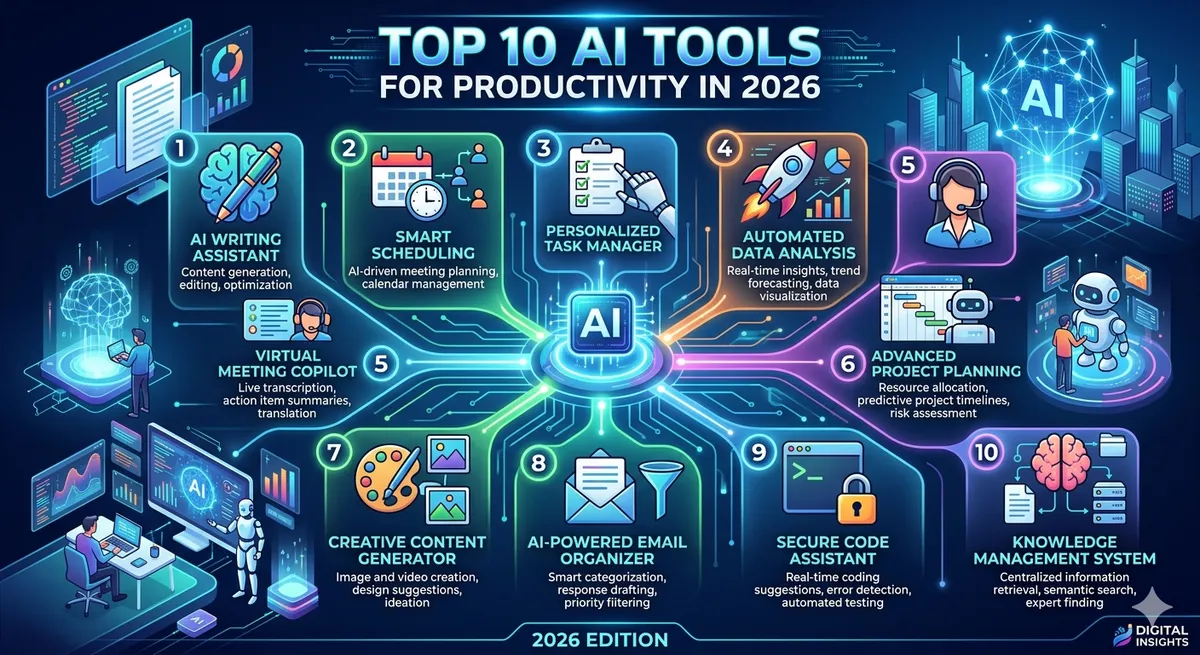
Top 10 AI Tools for Productivity in 2026: What Actually Works
Let me paint you a picture of where I was eighteen months ago. It is a Tuesday morning, 6:47 AM, and I am already awake because my brain decided that 4 AM was a great time to start cataloguing every single thing I forgot to do the day before. There is a client email I never answered. A report due Thursday I have not started. Three meetings I double-booked because I lost track of my own calendar. That was my normal. I am a marketing consultant, which is a fancy way of saying I juggle about a dozen clients, each convinced they are my only one. For years I wore my busyness like a badge of honor. The truth? I was drowning. I was not being productive. I was being reactive, lurching from one fire to the next, never actually getting ahead of anything.
The breaking point came when I missed my niece's birthday party because I was catching up on work that, looking back, I could have finished in half the time if I had had any kind of system. I sat in my home office, listening to the muffled sounds of a party I was supposed to be at two floors down, and I thought: something has to change. So I did what any slightly desperate person does at 11 PM. I went down an internet rabbit hole. And that is how I stumbled into the world of AI productivity tools for professionals.
I will be honest, I was skeptical. I had seen the breathless headlines promising that AI would revolutionize my workflow, and most of it sounded like snake oil dressed up in tech jargon. But I was out of better ideas, so I started experimenting. What followed was a genuinely surprising year. Not a magical overnight transformation, because that is not how any of this works. But a slow, steady reclaiming of my time, my focus, and frankly, my sanity. I went from working until 9 PM most nights to wrapping up by 5:30. I started taking actual lunch breaks. I called my mom. Regularly, even.
This article is everything I wish someone had told me when I started. No hype, no affiliate-fueled cheerleading, just an honest account of the tools that genuinely changed how I work, the ones that did not, and the messy reality of figuring out which is which. If you are where I was, exhausted, behind, and wondering if there is a better way, I hope this helps you find your way out faster than I did.
My Journey from Overwhelmed to Optimized with AI
When I first started messing around with AI tools, I made every mistake in the book. The biggest one? I tried to adopt everything at once. In a single frenzied weekend, I signed up for eleven different apps, watched about forty tutorial videos, and ended up more overwhelmed than when I had started. My desktop looked like a slot machine of notification badges. I had added so much productivity software that I had accidentally made myself less productive. The irony was not lost on me.
So I scrapped that approach and started over with one rule: I would only adopt a new tool once the previous one had become second nature. One at a time. Boring, maybe, but it worked. The first tool I committed to was a simple AI writing assistant, because writing was where I lost the most hours. Drafting client proposals, polishing emails, rewriting the same campaign copy for the fifth time. Once I had that humming along, I added the next piece. Then the next.
The shift was not really about the tools themselves. It was about what they freed up. I started noticing that I had mental space again. The constant background hum of what am I forgetting got quieter because I had offloaded the remembering to systems that did not get tired or distracted. I stopped being the bottleneck in my own life.
There were some humbling moments. I once let an AI scheduling tool rearrange my entire week without double-checking, and it cheerfully booked a focus block during a meeting I absolutely had to attend. Lesson learned: these tools are assistants, not replacements for paying attention. I learned to trust them, but verify, especially in the early days. The other thing that changed was my relationship with my own time. Slowly, as the tools took over the repetitive, draining tasks, I rediscovered the parts of my job I actually love. The strategy, the creative problem-solving, the conversations with clients where we figure out something genuinely cool together. The robots took the busywork, and I got the good stuff back.
The 10 AI Tools That Actually Changed How I Work
Before I dive in, let me set expectations. This is not a ranking. I am not going to tell you that tool number three is better than tool number seven, because that is a meaningless comparison. They do completely different jobs. What these ten tools have in common is that they all survived my brutal testing process. I am cheap, I am impatient, and I have zero tolerance for software that creates more work than it saves. If a tool did not earn its keep within two weeks, it got deleted without ceremony. These are the survivors.
The Tool That Finally Untangled My Brain: Notion AI
My notes used to live in roughly nine different places. Some in a paper notebook, some in my phone, some in random text files named stuff and stuff2. Finding anything was an archaeological dig. Then I moved my whole life into Notion, and once they layered AI on top of it, something clicked. I would dump a messy brain-storm of half-formed thoughts into a page after a client call, just a wall of bullet points and typos. Then I would ask Notion AI to turn it into a structured summary, and seconds later I had a clean, organized recap I could actually share. It pulls action items out of my rambling. It drafts meeting agendas from my scattered notes. It even helps me find things I half-remember writing months ago by understanding what I mean, not just matching keywords.
The honest downside? Notion has a learning curve that is more of a learning cliff. The first two weeks, I genuinely hated it. The AI features are also an add-on cost on top of your subscription. And sometimes the summaries are a touch generic if your input is too vague. Who is it for? People with a lot of scattered information who are willing to invest some upfront time building a system. Push through the cliff, and it becomes the central nervous system of your work.
Why I Will Never Stare at a Blank Page Again: Claude
If I had to keep only one AI tool, this would be it. Claude is the AI assistant I reach for dozens of times a day, and it has become so woven into how I think that working without it now feels like writing with my non-dominant hand. I use it to draft client proposals, untangle complicated emails, brainstorm campaign angles, and rubber-duck my way through strategy problems. When I am staring at a blank document with a deadline looming, I describe what I am trying to say, and Claude gives me a first draft to react to. Reacting to something is a thousand times easier than creating from nothing.
It also handles long documents beautifully, so I can paste in a forty-page report and ask for the three things that actually matter. The thing that sets it apart for me is how it handles nuance. The writing comes out sounding human, not like a press release written by a committee. I can tell it to make this warmer or less corporate and it actually understands what I mean. Honest downside? Like any AI, it can occasionally state something with confidence that is not quite right, so I always fact-check anything important. Who is it for? Honestly, almost anyone who works with words and ideas.
The Tool That Saved My Mornings: Reclaim.ai
My calendar used to be a graveyard of good intentions. I would block time for deep work, then watch it get steamrolled by the first person who wanted just fifteen minutes. By Friday, every focus block I had carefully scheduled had been bulldozed into oblivion. Enter Reclaim.ai, and suddenly my mornings stopped being a free-for-all. Reclaim looks at your tasks, your habits, and your existing meetings, then intelligently defends time on your calendar for the things that actually matter. I tell it I need three hours of deep work per week and a daily planning slot, and it finds the gaps, books them, and reshuffles them automatically when conflicts pop up. It even protects my lunch, which has been quietly life-changing.
Honest downside? It works best when your whole world lives in Google Calendar. There is also a trust hurdle early on. Who is it for? Anyone whose calendar is a battlefield, especially people with lots of meetings who struggle to protect time for actual work.
The Tool That Plans My Day So I Do Not Have To: Motion
For a while, I resisted Motion because it felt like overkill. Why did I need an AI to plan my day when I had a to-do list? Then I tried it during a particularly insane week, and I got it. Motion takes all your tasks and meetings and automatically builds an optimized daily schedule, slotting each task into a real time block based on priority and deadline. What changed for me was the end of decision fatigue. Every morning I used to waste twenty minutes deciding what to work on. Now I open Motion and it has already figured out my day. When something slips or a new task lands, it replans the whole day in seconds. I stopped dropping balls because everything had an actual home in my day, not just a vague someday status. Honest downside? It is not cheap. Who is it for? People drowning in tasks who want the planning done for them.
The Tool That Connects Everything Behind the Scenes: Zapier
Zapier is not flashy. It does not write your emails or plan your day. It does something quieter and, in some ways, more powerful: it makes all your other tools talk to each other. When a new client fills out my intake form, Zapier automatically creates a project in my task manager, adds them to my CRM, sends a welcome email, and drops a note in the right Slack channel. I built that once, and now it just happens, silently, every single time, while I am doing literally nothing. What changed for me was the death of a thousand tiny tasks. All those little manual copy this from here to there actions that ate my day in five-minute chunks? Gone. Automated. Honest downside? Setting up workflows requires some logical thinking, and complex automations can break in confusing ways. Who is it for? Anyone using multiple apps that should be talking to each other but are not.
The Tool That Listens So I Can Actually Think: Otter.ai
I used to be the person frantically scribbling notes during meetings, which meant I was so busy writing that I was not actually listening. Then I would look at my notes later and find a useless jumble. Otter.ai fixed that by transcribing my meetings in real time, so I could finally just be present in the conversation. Otter joins my calls, transcribes everything live, identifies who said what, and afterward hands me a searchable transcript plus an AI-generated summary with key takeaways and action items. After a client call, instead of trying to reconstruct what we agreed on from memory, I get a clean recap. The freedom of not having to take notes is genuinely hard to overstate. I am a better listener now. Honest downside? Transcription accuracy dips with heavy accents or bad audio, and you should always tell people they are being recorded. Who is it for? Anyone who attends a lot of meetings and is tired of choosing between participating and documenting.
The Tool That Remembers My Meetings Better Than I Do: Fireflies.ai
You might be wondering why I use both Otter and Fireflies since they sound similar. Fair question. I lean on Fireflies more for my structured, recurring team meetings because of how deeply it integrates with my other tools. Fireflies records, transcribes, and summarizes calls, but where it shines for me is the follow-through. It automatically pushes action items into my task manager and CRM, so the things we decided in a meeting actually become tracked tasks instead of evaporating the moment the call ends. It also lets me search across all my past meetings at once. What changed was accountability. Decisions used to die in meetings. Now the action items are captured and assigned automatically, and there is a searchable history of every commitment. Honest downside? There is real overlap with Otter, and most people genuinely only need one of the two. Who is it for? Teams that run regular meetings and need decisions to translate into action.
The Tool That Stops Me Embarrassing Myself: Grammarly
I know, Grammarly has been around forever and feels almost too obvious to include. But the AI-powered version it has become is a different beast from the spell-checker you remember. Beyond catching typos and grammar slips, modern Grammarly understands tone. It will warn me when an email I dashed off in frustration reads as cold or passive-aggressive, which has rescued several professional relationships. It can rewrite clunky sentences to be clearer, adjust formality depending on whether I am emailing a client or a teammate, and help me trim my notorious rambling into something punchy. What changed for me was confidence. I stopped second-guessing every email. I just write, glance at the suggestions, and hit send without that nagging did I phrase that weird feeling. Honest downside? It occasionally sands away the personality that makes your writing yours. Who is it for? Literally anyone who writes professionally.
Why I Will Never Drown in My Inbox Again: Superhuman
Email used to be where my productivity went to die. I would open my inbox just to check and surface forty-five minutes later, having accomplished nothing except increased anxiety. Superhuman completely changed my relationship with the thing I dreaded most. The whole experience is built for speed. Keyboard shortcuts let me triage email at a pace that feels almost athletic. The AI drafts replies in my voice, summarizes long email threads so I do not have to scroll through twenty messages to find the point, and helps me get to inbox zero in a fraction of the time. What changed was that email stopped being a black hole and became a quick, contained task. I now process my inbox in two short, focused sessions a day instead of letting it nibble at my attention constantly. Honest downside? It is expensive, noticeably more than a normal email app. Who is it for? High-volume emailers for whom inbox time is a genuine bottleneck.
The Tool That Replaced My Endless Googling: Perplexity AI
Research used to mean opening seventeen browser tabs, skimming a dozen articles, and piecing together an answer while losing my mind to ads and pop-ups. Perplexity AI replaced that entire mess. It is an AI-powered answer engine that gives you a direct, sourced response to whatever you ask instead of a list of links to wade through. When I need to understand a new industry trend for a client, check a statistic, or get up to speed on a topic fast, I ask Perplexity. It synthesizes information from across the web and, crucially, cites its sources, so I can click through and verify. Research that used to eat an hour now takes ten minutes. Honest downside? It is only as good as its sources, so for anything high-stakes I still verify independently. Who is it for? Anyone who researches as part of their work.
How I Stack These Tools Together: My Real Daily Workflow
Tools in isolation are nice. Tools working together is where the real magic happens. Here is how a genuine Tuesday actually flows for me now, so you can see how the pieces interlock.
My morning starts with Motion. Before I have even finished my coffee, I open it and my entire day is already planned, tasks slotted around my meetings in priority order. No deciding, no dithering. Reclaim.ai runs quietly in the background, having already defended my morning deep work block from the meeting invites that tried to colonize it overnight. During that deep work block, Claude is my co-pilot. Anything I write gets a final pass through Grammarly before it leaves my hands.
Mid-morning, the meetings begin. Otter.ai and Fireflies.ai join my calls, transcribe everything, and let me actually listen instead of scribbling notes. Here is where Zapier ties a bow on it. Those action items from Fireflies automatically flow into Motion as new tasks, which means my afternoon replans itself to absorb the new work without me lifting a finger. After lunch, which Reclaim made sure I actually take, I tackle email in one focused Superhuman session. When research questions come up, Perplexity AI gives me sourced answers in minutes. Anything worth keeping gets dumped into Notion AI, which turns my messy notes into organized, searchable knowledge. By 5:30, I am done. Genuinely done, not done but anxious about everything I forgot. The tools handled the remembering, the scheduling, the transcribing, the connecting. I handled the thinking.
What Nobody Tells You About AI Productivity Tools
Now for the honest part, the stuff the glossy marketing pages conveniently skip. The learning curve is real and it is front-loaded. Every single tool on this list got worse before it got better. There is a period, usually the first one to three weeks, where you are slower and more frustrated than you were without it. Most people quit during this valley, right before the payoff. Push through the awkward phase.
Second, there is a real risk of over-reliance. There was a stretch where I would reach for AI before even attempting to think for myself, and I noticed my own problem-solving muscles getting flabby. Use these tools to augment your thinking, not replace it. Third, the costs add up faster than you would think. Audit your tools every few months and cut anything you are not genuinely using. Fourth, AI tools can be confidently wrong. Verify anything that matters. Treat AI output as a smart first draft, never as gospel. And finally, no tool fixes a broken system. Get your fundamentals right, then let AI supercharge them.
Frequently Asked Questions
Do I really need all ten of these tools?
Honestly? No, and please do not try to adopt them all at once. Most people thrive with three or four that target their specific pain points. Build your stack slowly, one tool at a time, and only add the next once the current one is second nature. Quality of adoption beats quantity every time.
Are these AI productivity tools for professionals worth the money?
It depends entirely on the value of your time. When I calculated that these tools collectively give me back roughly ten hours a week, the subscription costs became laughably easy to justify. That said, be honest about whether you are actually using what you pay for. A tool you have used twice this month is just a donation to a software company.
Will AI tools make me lazy or hurt my skills?
This is a legitimate worry, and I have felt the pull myself. My rule is that these tools handle the mechanical, repetitive work while I keep ownership of the actual thinking, judgment, and decisions. Used that way, they free up mental energy for higher-value work rather than dulling your edge. Stay intentional about which muscles you let the machine flex for you.
How long before I actually see results?
Be patient through the first few weeks. Every tool here felt clunky before it felt magical, and the early frustration is exactly where most people give up. For me, the real productivity gains kicked in around the one-month mark, once the tools became habit rather than homework. Give any single tool at least two to three weeks of genuine, consistent use before you judge it.
Is my data safe with these AI tools?
This is something you absolutely should think about, especially with transcription and email tools that touch sensitive information. Read the privacy policies, understand what each company does with your data, and check whether they train models on your content. Be cautious about putting genuinely sensitive data into tools you have not vetted. A little diligence up front saves a lot of regret later.
Which single tool should I start with if I can only pick one?
If you can only choose one, start with an AI writing assistant like Claude, because text-based work cuts across almost every profession. It also has the gentlest learning curve and the most immediate, obvious payoff. You will feel the difference within hours, which builds the confidence to expand your stack from there.
Do these tools work well together or do they conflict?
This is where the real power lives. Most of these tools integrate beautifully, and a connector like Zapier can stitch together the ones that do not talk natively. The trick is being intentional about how they fit, mapping out your actual daily flow so each tool has a clear job. Plan the plumbing.
What if I am not a tech person? Can I still use these?
Absolutely, and most of these tools are designed for regular humans, not engineers. The interfaces are friendly, the onboarding is guided, and you do not need to write a single line of code for any of them. Start with the most beginner-friendly options like Grammarly or Perplexity, and your confidence will grow from there.
How do I stop my subscription costs from spiraling?
Audit ruthlessly and regularly. Every couple of months, look at every AI subscription you are paying for and ask one brutal question: did I use this meaningfully in the last 30 days? If the answer is no, cancel without sentimentality. Annual plans often cut costs significantly if you are committed, and consolidating overlapping tools keeps the bill sane.
Will these tools still be relevant a year from now?
The specific tools will evolve, and some may be overtaken by newer options. But the underlying skill, knowing how to delegate the right tasks to AI while keeping the human work for yourself, only grows more valuable. Do not get too attached to any single app. Get attached to the workflow and the mindset. The tools are interchangeable; your ability to work alongside them intelligently is the durable advantage.
My Final Take: Is AI the Future of Productivity?
After a year and a half living inside these tools, here is my honest, unhyped conclusion: yes, AI is the future of productivity, but probably not in the way the loudest voices online suggest. It is not about robots doing your job while you sip cocktails on a beach. It is quieter and more human than that. What these tools actually do is hand you back your time and your attention, the two scarcest resources any of us have. They absorb the draining, repetitive, mechanical work that was never the point of your job in the first place, so you can pour your finite energy into the parts only a human can do, the creativity, the judgment, the relationships, the genuine thinking.
I am not the same overwhelmed person I was eighteen months ago, drowning at 6:47 AM with a sticky note begging me to call my mom. I work fewer hours and accomplish more. I am present at the birthday parties now. That transformation did not come from working harder. It came from working alongside tools that handle what I should not be spending my one life on. If you take one thing from all this, let it be this: start small, stay intentional, and remember that the goal was never productivity for its own sake. The goal is a fuller life. These tools are just how I clawed mine back. I hope they help you do the same.
Frequently Asked Questions
Want to stay updated?
Get the latest AI tool reviews and news delivered to your inbox.