

Google AI Tools List 2026: The Free Tools Guide
A complete list of Google's free AI tools in 2026 — Gemini, NotebookLM, AI Studio, and more — with what each one actually does and who it's built for.
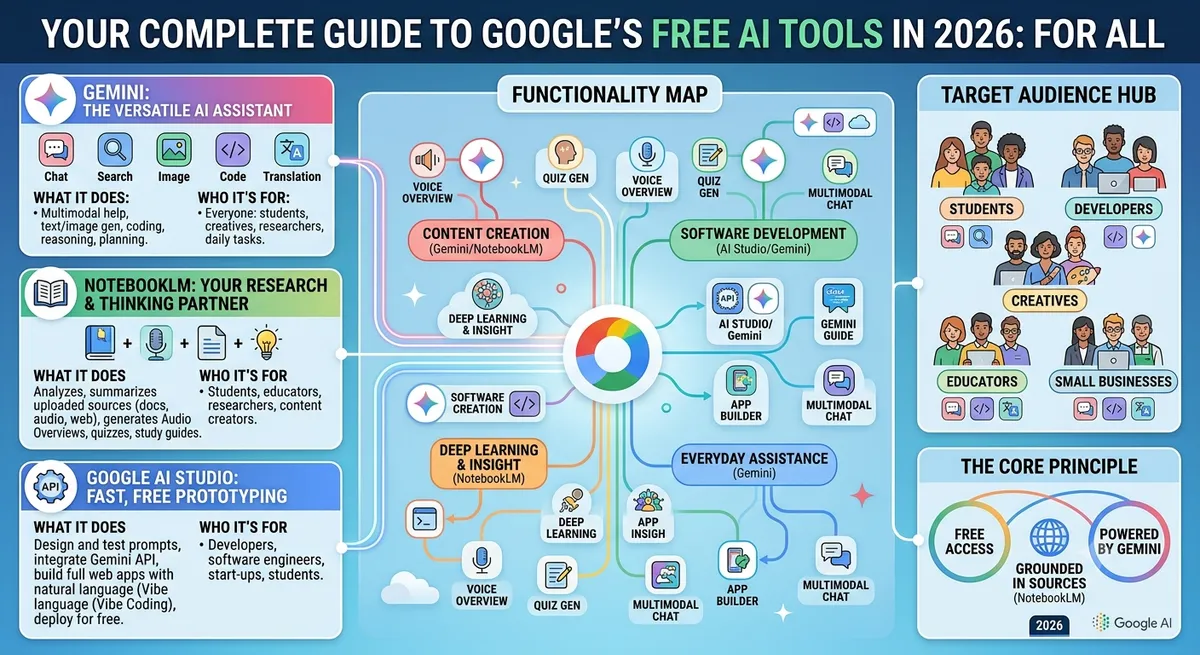
Google doesn't get talked about as much as OpenAI in AI conversations, but it's quietly built one of the most complete free AI stacks available today. The advantage isn't just the models — it's that Google's AI tools live directly inside apps you're probably already using: Search, Docs, Gmail, and Drive.
This guide breaks down every major Google AI tool worth knowing in 2026, what it's actually good for, and where the free tier stops and the paid tier begins.
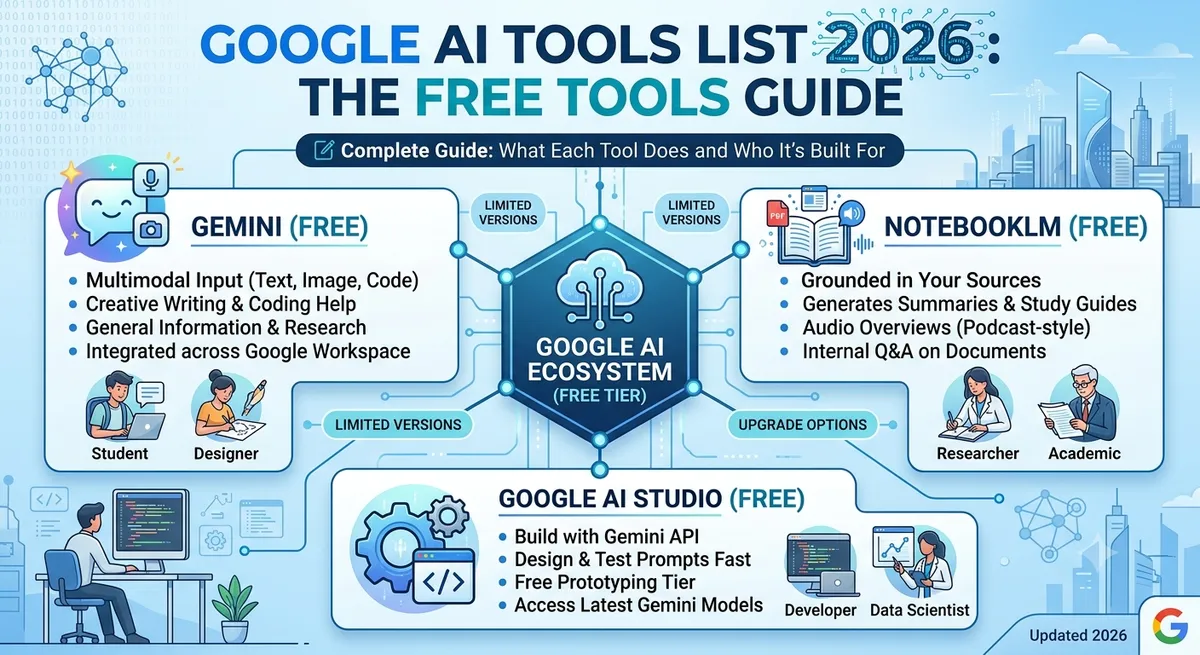
1. Gemini — Google's Flagship AI Assistant
Gemini is Google's answer to ChatGPT, and honestly, it's closed most of the gap. The free tier gives you a genuinely capable chat assistant with a long context window, meaning you can paste in lengthy documents, research papers, or meeting notes without it losing track of earlier details.
Where Gemini pulls ahead of most competitors is real-time integration with Google Search — so answers about current events or fast-changing topics tend to be more accurate than assistants relying purely on training data. It also connects directly with Gmail, Docs, and Drive, letting it draft emails or summarize a document without you copy-pasting anything.
Best for: anyone already living inside Google Workspace who wants an assistant that doesn't require switching tabs.
2. NotebookLM — Research Grounded in Your Own Documents
NotebookLM takes a different approach than a general chatbot. Instead of answering from the open internet, you upload your own sources — PDFs, Google Docs, slides, or web links — and NotebookLM answers strictly from that material. This makes it one of the more trustworthy free AI tools for research, since it won't fabricate details outside what you gave it.
A standout feature is the Audio Overview, which turns your uploaded documents into a podcast-style conversation you can listen to — genuinely useful for reviewing dense material on the go. Students in particular have adopted this fast; if that's your use case, our AI tools for students collection covers more research-focused options like it.
Best for: research, studying, and summarizing your own documents without hallucination risk.
3. Google AI Studio — Free Access for Developers
If you're a developer who wants to experiment with Google's Gemini models directly — testing prompts, building small AI-powered features, or prototyping before committing to paid API usage — Google AI Studio gives free, browser-based access to the models. It's a low-friction way to see what Gemini can do before wiring it into a production app.
For a broader set of tools built specifically for engineering workflows, check out the AI tools for developers directory, and if you're building AI features into your own code, the AI code generator category is worth browsing alongside it.
4. Google Search AI Overviews
Most people don't think of this as a separate "tool," but Google's AI-generated summaries at the top of search results are, functionally, a free AI product used by billions of queries a day. It's not something you interact with directly like a chatbot, but it shapes how quickly you get answers without clicking into individual sites — worth knowing about if you're also thinking about SEO and how content gets surfaced in 2026.
5. Google Workspace AI Features (Docs, Sheets, Gmail)
Beyond Gemini as a standalone chat tool, Google has been steadily baking AI directly into individual apps — smart replies and drafting suggestions in Gmail, formula help and data summaries in Sheets, and writing assistance in Docs. Some of these features are free at a basic level, with deeper functionality reserved for Google AI Plus subscribers.
Free vs Paid: Where Google Draws the Line
Across nearly every Google AI tool, the pattern is consistent: the free tier is genuinely useful for everyday tasks, but heavier or higher-volume use (longer documents, more Deep Research runs, unlimited NotebookLM sources) tends to get gated behind Google AI Plus, which currently starts at a modest monthly price. For casual to moderate users, the free tier alone covers most needs.
How Google's AI Tools Compare to ChatGPT
The most common question people ask is whether to use Google's stack or stick with ChatGPT. In practice, it comes down to where you already work:
- If your workflow lives in Gmail, Docs, and Sheets — Gemini wins on integration alone.
- If you want the most flexible, general-purpose assistant regardless of ecosystem — ChatGPT is still the more universally adopted option.
- If your priority is research grounded strictly in your own sources — NotebookLM currently has no direct ChatGPT equivalent.
For a full side-by-side breakdown, we've covered this in detail in our ChatGPT alternatives in 2026 guide.
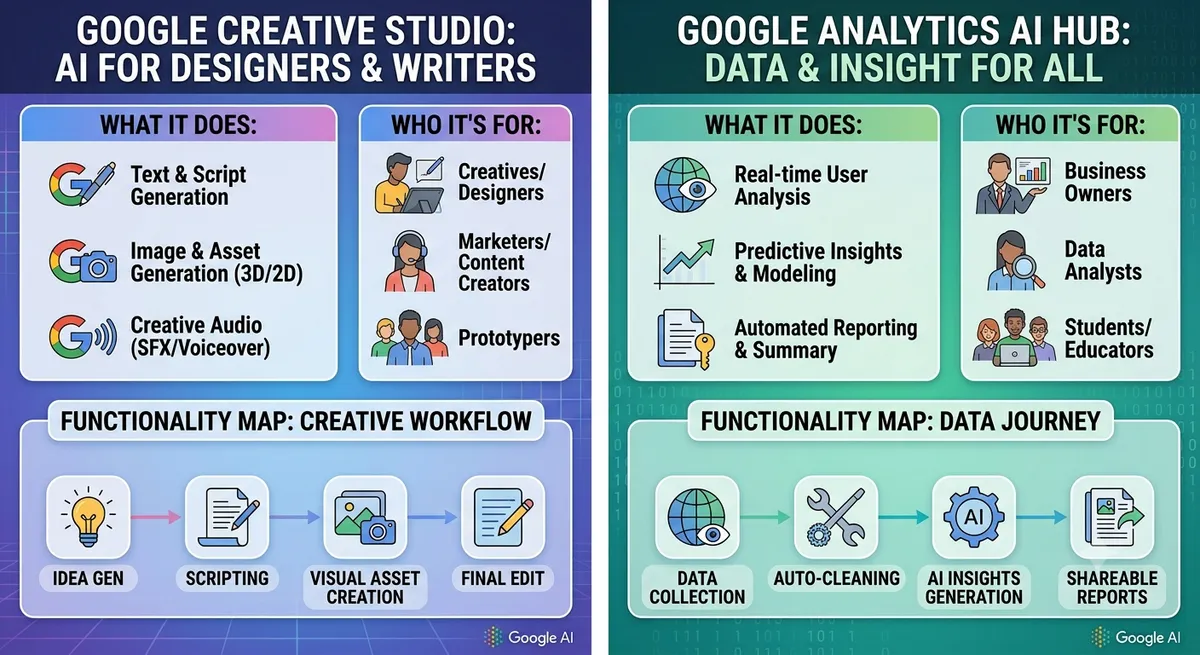
Who Should Use Google's AI Tools?
Google's AI stack makes the most sense for three groups specifically:
Students benefit heavily from NotebookLM's source-grounded answers, especially for research papers and coursework where accuracy matters more than creativity.
Marketers and content teams get value from Gemini's integration with Docs and Sheets for drafting and reporting without leaving their existing workflow — see our AI tools for marketers list for complementary tools.
Developers exploring Gemini's API get a free, low-risk sandbox through AI Studio before scaling into paid usage.
Frequently Asked Questions
Is Gemini completely free to use?
Yes, Gemini has a free tier with generous everyday usage. Higher usage limits, Deep Research runs, and premium features are reserved for Google AI Plus subscribers.
Is NotebookLM free?
Yes, NotebookLM is free to use, with limits on the number of sources and notebooks you can create on the free tier.
Do I need a Google account to use these tools?
Yes, most of Google's AI tools require a free Google account to sign in, but none require payment details upfront.
Which Google AI tool is best for beginners?
Gemini is the easiest entry point since it works like a standard chat assistant with no technical setup required.
Final Thoughts
Google's AI tools in 2026 aren't just a ChatGPT clone — Gemini, NotebookLM, and AI Studio each solve a genuinely different problem, and all three have real free tiers worth using. If you want to compare these against tools outside Google's ecosystem, browse the full AI tools directory on AI List Stack to filter by pricing, category, and use case.
Want to stay updated?
Get the latest AI tool reviews and news delivered to your inbox.